Reading a UPI Decline Code Without Guessing
The 11 most common NPCI/bank decline codes and how to handle them gracefully.
Paisape Engineering
Engineering · 12 August 2026
Not All Failures Are Created Equal
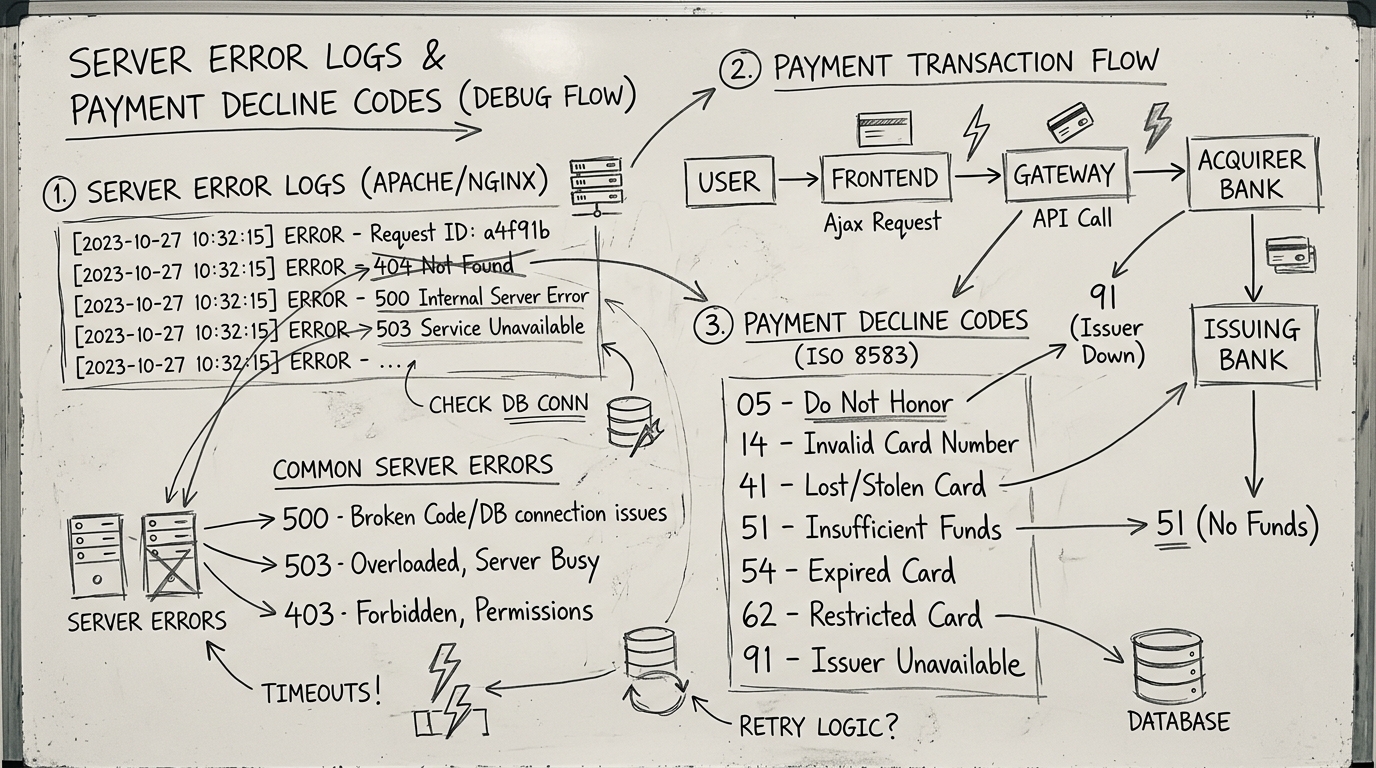
When a UPI transaction fails, most merchants display a generic, unhelpful "Payment Failed" screen. Underneath the hood, the Payment Gateway (PG) returns a simple 'FAILED' status. However, beneath that surface-level status lies a wealth of diagnostic information in the form of the NPCI (National Payments Corporation of India) response code. Understanding and acting upon these specific error codes is the difference between losing a customer forever and gracefully recovering a transaction.
The UPI architecture is a complex web involving the Payer PSP (like PhonePe or Google Pay), the NPCI switch, the Remitter Bank (issuer), the Beneficiary Bank (acquirer), and the Payee PSP. A failure can occur at any of these nodes. The NPCI decline code tells you exactly where and why the transaction fell apart. For example, U19 means the transaction amount exceeds the user's limit, while U16 means a risk threshold was exceeded. Treating both of these the same way is a massive missed opportunity for conversion optimization.
Decoding the Most Common NPCI Decline Codes
To build an intelligent checkout experience, your payment switch needs to parse these codes in real-time. Here is a breakdown of the most frequent UPI decline codes and what they actually mean:
- U19 - Transaction Amount Exceeds Limit: The user is trying to transfer more money than their bank allows per day (often capped at ₹1,00,000 for UPI) or per transaction.
- U16 - Risk Threshold Exceeded: The user's bank or the UPI app's fraud detection engine has flagged this transaction as potentially suspicious. This often happens with sudden high-value transactions to new merchants.
- U30 - Debit Has Been Failed: This is a generic but extremely common error indicating a failure at the remitter bank's Core Banking System (CBS). The bank's database simply failed to process the debit.
- 91 - Issuer Switch Timeout: The NPCI routed the request to the user's bank, but the bank's servers did not respond within the stipulated timeout period (usually a few seconds). The bank's servers are likely overloaded or down.
- U17 - Invalid PIN: The user entered the wrong UPI PIN on their mobile device.
- Z9 - Insufficient Funds: The user does not have enough money in their bank account to cover the transaction amount.
- M0 - VPA Does Not Exist: The Virtual Payment Address (UPI ID) entered by the user is invalid or deregistered.
- U69 - Expired VPA or Transaction Timeout: The user initiated a collect request but did not approve it on their phone within the 5-minute expiry window.
Intelligent Retry Strategies Based on Codes
Once you understand the reason for the failure, you can implement intelligent routing and retry strategies. Not every failure should be retried. Blindly retrying a transaction can lead to account lockouts or increased frustration.
Codes like U30 (Debit failed) or 91 (Issuer switch timeout) suggest a temporary, transient banking hiccup. These are prime candidates for background retries if you are controlling the flow via SDK, or for immediately prompting the user to "Try Again." In a multi-PG setup, if you see high rates of code 91 for a specific acquiring bank, your payment switch should automatically route subsequent traffic to a different acquiring bank to bypass the degraded node.
Conversely, if you receive U17 (Invalid PIN) or Z9 (Insufficient Funds), no amount of technical retrying on the backend will save the transaction. The issue is purely on the user's side. Your system should immediately halt any automated retries to prevent the user's account from being locked due to too many failed PIN attempts.
For U16 (Risk Threshold), retrying with the same UPI ID will almost certainly fail again. The optimal strategy here is to gracefully degrade and offer the user an alternative payment method, such as Credit Card or Netbanking, which operate on entirely different risk engines.
Transforming UX with Actionable Errors
The greatest impact of parsing NPCI codes is on User Experience (UX). A generic "Payment Failed" message leaves the user confused and anxious, especially if they are unsure if money was debited. By mapping NPCI codes to human-readable UI messages, you give the user agency to fix the problem.
Instead of a red cross, use these codes to show specific, actionable screens:
- For U17: "You entered the wrong UPI PIN. Please try again carefully, you have limited attempts remaining."
- For Z9: "Your bank account has insufficient funds. Please add money or try a different bank account."
- For 91: "Your bank's servers are currently unresponsive due to high traffic. We recommend using a different bank account or a credit card."
- For U19: "This transaction exceeds your bank's daily UPI limit. Please split the payment or use Netbanking."
- For M0: "The UPI ID you entered does not exist. Please check for typos."
The Phantom Debits: Handling Pending States
The most dangerous scenario in UPI is the "Pending" state, often accompanied by codes indicating a timeout (like 91 or a late U69). In these cases, the user's bank might have debited the funds, but the NPCI or the acquiring bank has not confirmed the success. The user gets an SMS saying money has left their account, but your system shows a failure.
If you treat timeouts strictly as failures, you risk double-charging the user if they try again, leading to massive customer support tickets and chargebacks. Your system must implement a robust Status Polling mechanism. When a transaction ends in a timeout, the UI should explicitly state: "We are waiting for confirmation from your bank. Please do not retry the payment. This can take up to 10 minutes." Your backend must then aggressively poll the PG's status API (and ideally, a secondary bank API if available) to fetch the final terminal status before allowing the user to initiate a fresh transaction.
By treating NPCI decline codes not just as backend logs, but as critical drivers for business logic and UI/UX, engineering teams can significantly boost payment success rates, reduce support overhead, and build a checkout experience that feels magical even when things go wrong.